 Skip to content
FESCO new connection tracking helps you find what is happening after an application has been submitted. The difficult part is separating the application record, demand notice, payment and installation stages. Start with your tracking acknowledgement, open the official FESCO ENC tracking route, and select the correct application type. Use the result to ask a precise question about the next step rather than submitting another application without checking the first.
If you have not applied yet, read the current entry instructions first. The official portal’s route has changed, and an older article telling everyone to click a generic Apply button may no longer match the service.
Use the current FESCO application route
As checked on 12 October 2026, the FESCO ENC homepage directs new-connection and change-of-name, tariff or load applicants to the Power Smart/FESCO Smart app and Eops route or the nearest Customer Facilitation Center. The page retains tracking and demand-notice functions, including Track, Print Form, Print DN, Pay DN and Upload DN.
Begin at that official page or the FESCO eServices directory, and follow the current links and instructions. Do not install a similarly named app from an unverified message. A tracking guide cannot establish the current documents, fees or eligibility for every individual property.
Existing applicants should locate their own acknowledgement before starting again. A missing bookmark is not evidence that the original application has disappeared.
How to check FESCO new connection tracking
- Find the application record. Look for the submitted form, acknowledgement and tracking or case number issued during your application.
- Open the official tracking page. Use FESCO ENC application tracking through the company’s service route.
- Select the appropriate application type. The inspected form separates new connections from change of name, tariff or load.
- Choose an available search identifier. The current form accepts a tracking ID or CNIC without dashes. Use your own application details and follow the field instructions.
- Read the result carefully. Match the applicant and premises where shown. Note any request for documents, payment information or a follow-up action.
- Save a dated record. Retain the displayed status or response and any relevant notice privately, without altering the original information.
- Ask about the next unresolved step. Contact the handling office or official service with the case number and a specific question, then record its reply.
The public form was inspected for this guide; no private application was submitted or tracked. The available search fields do not guarantee that an incomplete or incorrectly entered case will return a result.

A consumer checklist, not a screenshot of a real application or a guaranteed processing sequence.
Tracking ID, CNIC and bill reference are different
An application exists before the monthly billing account is fully established. Its tracking number identifies the request. A later electricity bill uses its own account identifiers. Do not substitute a neighbour’s bill reference or a future meter serial into an application-tracking field.
| Identifier or document | What it helps identify |
|---|---|
| Application tracking ID | The submitted connection or account-change request |
| Applicant CNIC | An applicant lookup route where the official form offers it |
| Demand notice | A particular payment request linked to the application |
| Monthly bill reference | The electricity billing account after it is established |
| Meter serial | The installed equipment, not necessarily the application number |
The CNIC option on application tracking does not create a public FESCO bill search by CNIC. These are separate services. Once monthly billing starts, our FESCO bill-check guide explains the bill lookup identifiers.
Turn a short status into a useful question
Status wording can change. Avoid treating an unfamiliar label as a promise of installation on a particular day. Instead, connect what you see with the record you already have.
If documents are requested, ask which page is missing and whether the earlier upload is readable. If a survey or inspection is mentioned, ask whether access to the premises is needed and who should arrange it. If payment is recorded but installation is pending, ask what remains outstanding rather than paying the same notice again.
Keep the question focused. For example: “My application shows [status]. I uploaded the requested document on [date]. Please confirm whether it was accepted and what action is still required.” This is an illustrative follow-up template; replace the brackets with real information in a private official channel.
A screenshot reading “submitted” and a completed installation are different milestones. Check the actual outcome relevant to your case.
Check a demand notice before paying it
A demand notice is not the first monthly electricity bill. It belongs to the application process and should be matched to the correct applicant and premises.
Review the case identifier, applicant details, scope where stated, amount, deadline and authorized payment instructions. If the address or requested connection appears wrong, ask the handling office to clarify the notice before paying. A neighbour’s installation cost is not a verified quotation for your property.
Where the official service provides Pay DN or Upload DN, follow the current instructions for that function. Do not assume that printing a notice proves payment, or that making a payment automatically uploads the receipt. Save both the notice and the payment record, and check whether an upload or acknowledgement is still required.
Our ENC demand-notice guide explains how to keep the notice, receipt and submission record together. If a notice has expired, ask whether it must be revised rather than guessing that the old amount and route remain valid.
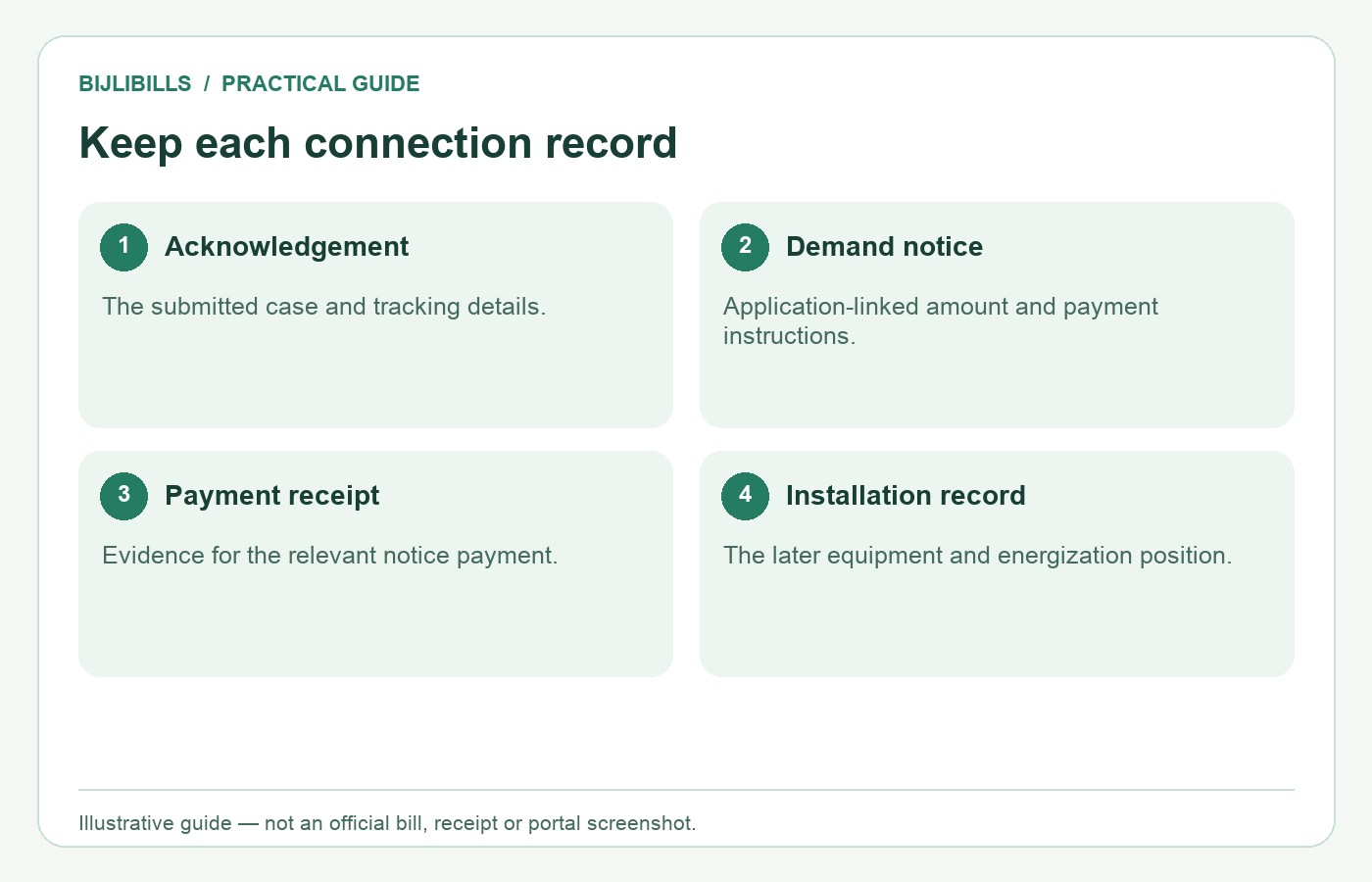
Each record confirms a different part of the process. Payment does not by itself prove installation or energization.
Troubleshoot a missing or unclear tracking result
Check for a copied space, a missing digit or an identifier taken from another application. Confirm the application type before retrying. If using CNIC, follow the current no-dashes instruction on the official form.
If the application was started but never finally submitted, a saved form may not be a completed case. Look for the acknowledgement and ask the official service to confirm the position. Do not manufacture a tracking number from a reference on an unrelated receipt.
When neither route finds the case, contact the handling office with the applicant name, premises, approximate submission date and any original acknowledgement. Ask it to locate the existing record before making a duplicate request. Bring original documents only where the official process asks for them, and retain your own copies.
After installation: watch for the first bill
Keep the installation or energization record with the application file. When a bill arrives, confirm the address, meter details and reading period before assuming it covers a normal single month.
Section 10.3.1(h) of the NEPRA Consumer Service Manual, revised 26 November 2025 provides for the first bill within two months of connection and addresses appropriate slab treatment where accumulated-period billing is late. This is a regulatory standard, not a guaranteed individual issue date.
Once you have the billing identifier, use BijliBills to check the bill and keep a copy. You can also review FESCO SMS registration as a separate reminder service.
Frequently asked questions
Can I track with the number from an existing house bill?
Use the application identifier requested by the tracking form. An existing bill reference may identify a different account rather than the pending application.
Is the CNIC tracking option proof that my application was approved?
No. It is a way to locate a record. Read the actual result and any outstanding requirements.
What if I applied for a load change rather than a new connection?
Select the relevant change category on the current form. The portal distinguishes those requests from new connections.
Should I create a second application when I lose the tracking ID?
First use the available official lookup or ask the handling office to recover the existing record. Duplicate requests can complicate document and payment matching.
Can I use a relative’s CNIC to find my application?
Use the applicant details associated with the case and only with proper authority. Do not try unrelated identities to locate a record.
Does a demand notice guarantee a meter is available?
Do not infer installation readiness from the notice alone. Ask the handling office which steps remain after payment.
What if the demand notice amount differs from an online estimate?
Request an explanation of the official notice’s scope and calculation. A generic estimate does not override the application-specific assessment.
Can I send a payment to someone who offers faster installation?
Use the authorized payment instructions for the official process. Do not substitute a personal transfer for the required demand-notice payment.
Do I need to upload the receipt after paying online?
Follow the current portal instructions. Payment and document upload can be separate actions; confirm whether your case requires both.
What if a receipt upload is unreadable?
Keep the original and ask how to resubmit a legible copy under the same case. Check that the reference and amount remain visible.
Can I edit a misspelled applicant name in the tracking screen?
Tracking is not necessarily an editing service. Ask the official handling channel about correcting the application record.
Why does my case still show pending after a visit?
A visit may resolve only one step. Ask what action was recorded and what remains open; do not assume the status should change immediately.
Does receiving a meter mean electricity is authorized for use?
Confirm the installation and energization position through the official process. Do not connect equipment to the supply yourself.
What if the first bill covers more than one reading period?
Compare the connection date, reading dates and billed period, then ask about the calculation and applicable slab treatment if it appears inconsistent.
Does BijliBills submit or approve connection applications?
No. BijliBills provides independent guidance. Submit documents, payments and requests through FESCO’s authorized services.
Keep one complete case file
Store the acknowledgement, tracking updates, demand notice, receipt and installation record together. A clear file helps you ask the right next question and later check that the first FESCO bill belongs to the connection you applied for.