 Skip to content
Understanding reference number vs Customer ID starts with the labels on your bill. You have a FESCO Bill in front of you, but it shows several different numbers. One belongs to the electricity account, another identifies the meter, and a third may relate to a payment. Entering the wrong one can produce an error or take you to the wrong record. The quickest solution is to match the label on your bill to the option on the official portal before typing.
For FESCO, the PITC bill page checked on 12 October 2026 offers Reference No and Customer ID as separate lookup choices. Use the 14-digit reference number in the reference route, or select Customer ID for the separate 10-digit identifier. This guide explains the difference and gives you a repeatable check for paper bills, PDFs and payment apps.
The same label-first approach helps with bills from other Pakistani electricity companies, but their accepted identifiers may differ. Keep each company’s reference and Customer ID in separate fields in your records. A number that works on one provider’s portal is not evidence that another provider uses the same format.
Reference number vs Customer ID on a FESCO Bill
Both identifiers relate to a consumer account, but that does not make them interchangeable inputs. A form expects the number associated with the selected field. Copying ten digits from the Customer ID label into a field expecting a 14-digit reference number will not become valid by adding zeros.
Use the label and the official field instruction together. Position alone is less reliable because a printout may be cropped, resized or arranged differently from an illustration. Do not assume that every distribution company's identifier lengths and forms are identical.
| Number or label | What it helps identify | Where you should use it |
|---|---|---|
| Reference No | The electricity connection's billing record | The portal's reference-number route |
| Customer ID | The customer record used by the alternative lookup | The separate Customer ID option |
| Meter No or serial | The physical meter | Meter checks and official enquiries when requested |
| Application or tracking ID | A service application | The relevant application-tracking service |
| Transaction ID | A particular payment | The payment provider's receipt or support process |
The table is a task guide, not a promise that all services accept the same format. If a payment app asks for a reference, follow that provider's instruction rather than substituting a Customer ID because it worked on PITC.
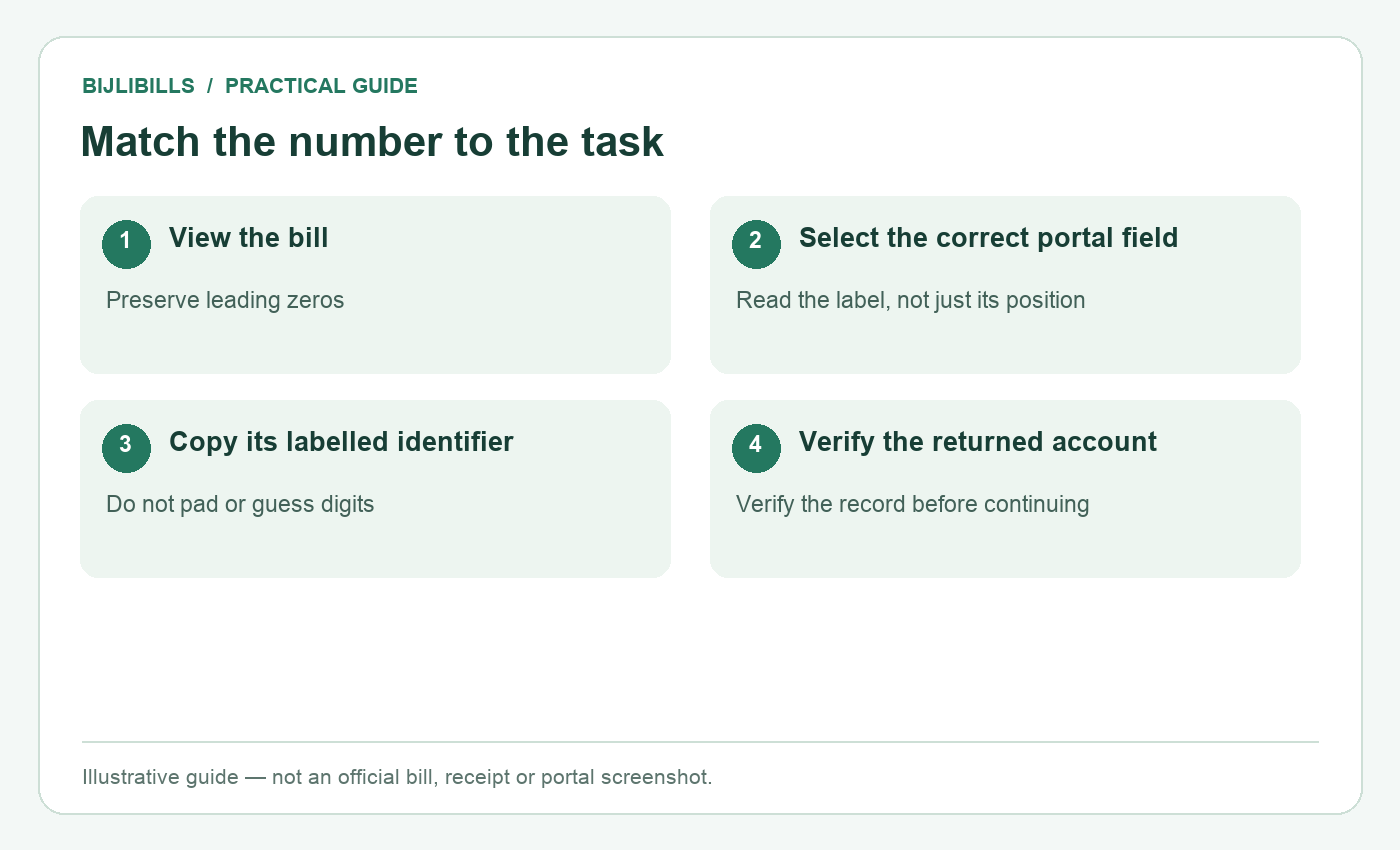
Illustrative workflow: match the number to the task. This is not an official bill or portal screenshot.
A six-step check before entering any number
- Identify the company. Read the provider name on your actual bill. Open the matching company from the BijliBills homepage.
- Identify the task. Are you viewing a bill, paying it, tracking a new connection or questioning a previous payment? Each task may use a different number.
- Read the input label. Select the Reference No or Customer ID option before copying the value. Do not let an illustration overrule the live form.
- Copy the complete value. Preserve leading zeros. Remove accidental spaces only where the form expects uninterrupted digits; do not remove meaningful characters from unrelated identifiers.
- Compare against the source. Read the digits back in groups. Check the start and end as well as the middle, where copying errors are easy to miss.
- Verify the returned account. Match the service address and connection information before downloading or paying. A form accepting the input does not prove it belongs to you.
If the reference route offers a U/R control, use the choice associated with your bill. Follow the live portal rather than adding letters to a numeric field without checking its instructions.
Why a meter number cannot simply replace a bill reference
The meter is equipment; the billing account is a record. A meter can be replaced while the premises remain connected, and service applications can have their own tracking information. Keeping these concepts separate makes conversations with support much clearer.
Suppose you photograph a meter label and save it as “bill number.” Months later, you enter that serial into a bill-checking form and receive an error. The problem is not necessarily with FESCO's website. You may have selected the wrong type of identifier.
When speaking to an official office, provide the meter serial if requested, but explain that you do not have the bill reference. Staff can tell you what further evidence is needed. Do not assume a device number creates a public lookup method that the portal does not offer.
Never open a meter box or disturb wiring to inspect a label. If the serial cannot be read safely, use existing documents or ask FESCO for help.
Leading zeros, spaces and copied text
A reference number is an identifier, not a quantity used in arithmetic. Saving it as a number in a spreadsheet can remove a leading zero or display it in scientific notation. Store the field as text if you keep a household records sheet.
Photographs introduce a different risk: text recognition may confuse digits or include punctuation from a nearby label. If you copy a number using your phone's camera tool, compare the resulting text with the original image before submitting it.
Messages can also contain hidden spaces or line breaks. When a correctly labelled value fails, clear the field and type it carefully from the source. Do not keep modifying the account number until a bill appears. Your aim is an exact match, not any successful response.
For a longer failure checklist, use electricity bill not found troubleshooting. It separates incorrect inputs from the wrong company, a different billing month and a temporary portal problem.
What to check in a bank or wallet app
Bill viewing and payment are separate tasks. A payment provider may save a biller under a short nickname while storing the full reference underneath. Before authorising payment, verify the electricity company, the identifier shown, the payable amount and any account details the provider displays.
A transaction ID becomes useful after a payment attempt. It identifies that transaction; it does not replace the electricity account number for future bill retrieval. Keep both in your records so you can explain a problem without confusing the payment and the connection.
If the provider displays only a masked reference, compare the visible digits and saved label with your own complete bill. If you cannot establish which connection is selected, stop and resolve that uncertainty before paying. See the FESCO online payment guide for the wider verification sequence.
Manage several connections without mixing them up
A family may pay the bills for a home, a rented portion and a shop. Use a simple private table with separate columns for provider, premises label, reference number and Customer ID. Keep meter information in another column, not in the same field.
Check every saved payment nickname against the current bill when setting up the list. A label such as “home” can become misleading after a move. Likewise, a photograph forwarded by a landlord may belong to another floor unless you confirm the address and meter relationship.
If an account record changes, keep a note explaining when and why the old identifier was replaced. Do not silently overwrite everything if you still need to reconcile a payment made against an earlier record. Ask the official provider how the records relate.
When the identifiers are missing or disagree
If only the paper bill is lost, search your own PDFs, private messages and genuine payment receipts. If neither reference nor Customer ID is available, follow the FESCO missing-reference guide rather than trying a neighbour's number.
If two genuine documents disagree, check whether they concern the same premises, meter and billing period. Record both documents and ask the relevant FESCO office to explain the difference. Do not assume one is fraudulent or select the lower amount without investigating.
FESCO's official customer services page lists its bill and correction services. BijliBills can explain the process but cannot alter the identifiers in FESCO's system.
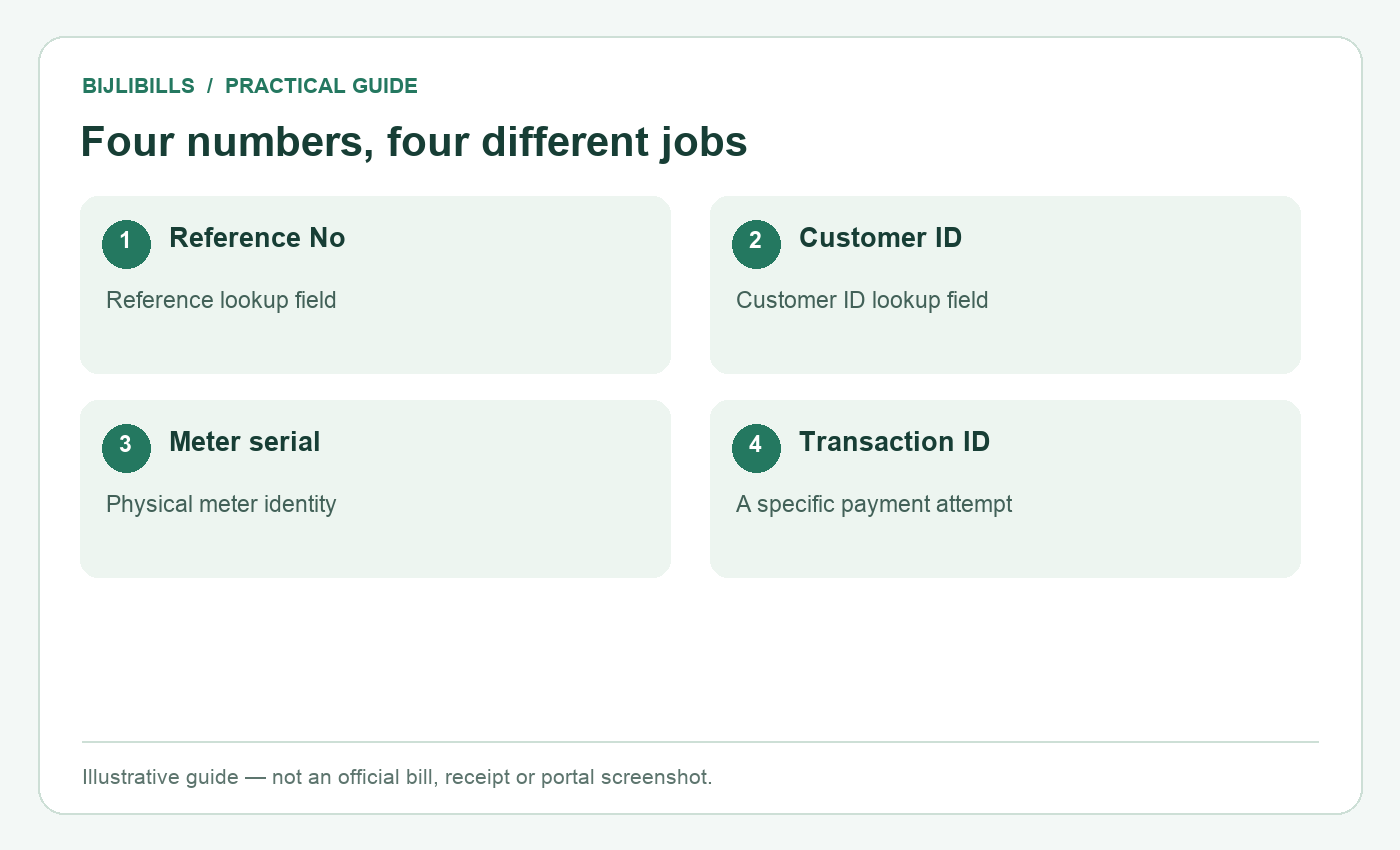
Illustrative workflow: four numbers, four different jobs. This is not an official bill or portal screenshot.
Frequently asked questions
1. Are Reference No and Customer ID the same field?
No. PITC presents them as separate choices for FESCO. Select the route matching the label on your source document.
2. Is every 14-digit number on a bill the reference?
Do not identify it by length alone. Read its label and compare it with the official form's requirements.
3. Can I add zeros to a Customer ID?
No. Padding a number changes the identifier. Use the Customer ID option rather than forcing it into a reference field.
4. Can a leading zero be important?
Yes. Preserve the full identifier exactly as recorded and store it as text in a spreadsheet.
5. Is the barcode itself a different account?
Do not make that assumption. Use the clearly labelled printed identifier; a barcode is not a substitute for checking the account details.
6. Why does a number work on PITC but not in my bank app?
The services may expect different input routes. Follow the bank's current bill-payment instructions and verify the selected biller.
7. What number should I quote about a failed payment?
Keep both the electricity reference and payment transaction ID. They identify different records needed for investigation.
8. Can an application tracking ID check the monthly bill?
Do not assume so. Use application tracking for the application and the assigned billing identifier for monthly bills.
9. Should I type the U/R letter into the numeric field?
Follow the live form. Where it provides a separate U/R control, use that control with the value on your genuine bill.
10. What if the returned consumer name is unfamiliar?
Verify the premises and connection. Tenanted properties may retain an owner's name, but that needs confirmation rather than a guess.
11. Does a meter replacement mean my saved reference is invalid?
Not automatically. Compare the updated bill and ask FESCO to clarify any changed identifiers.
12. Is it safe to post my entire bill in a public group?
It exposes account and address information. Prefer a private official support channel and share only what the task needs.
13. Can I retrieve a bill by a payment transaction ID?
That ID is for the payment provider's records. It is not one of the two public FESCO bill-lookup fields.
14. What is the best way to label saved numbers?
Use separate provider, premises, reference and Customer ID fields. Avoid one ambiguous note called “bill number.”
15. Can BijliBills correct a wrong identifier?
No. A discrepancy in the official customer record must be handled by FESCO through its applicable service process.
Match the label, the task and the result
Most identifier mistakes can be prevented before submission. Choose the right company, select the correct lookup route, copy the labelled value and verify the resulting account. Keeping reference, Customer ID, meter serial and payment transaction ID separately makes each month's bill easier to manage.
Pingback: PESCO Bill Check Without Reference Number 2026: 7 Methods
Pingback: QESCO Bill Check Without Reference Number 2026: 7 Methods
Pingback: GEPCO Online Bill Check – Download & Print Duplicate Bill
Pingback: LESCO Bill Check Online – Download & Print Duplicate Bill